Compliance Reminders help you stay on top of important HR obligations by automatically prompting employees to review and acknowledge required compliance items.
Rather than relying on manual follow-ups or ad-hoc reminders, Compliance Reminders create a consistent, automated process that supports best-practice HR management and reduces the risk of missed or overdue compliance tasks.
This article shows you how to activate and manage Compliance Reminders in Your HR System.
1. Open Feature Management
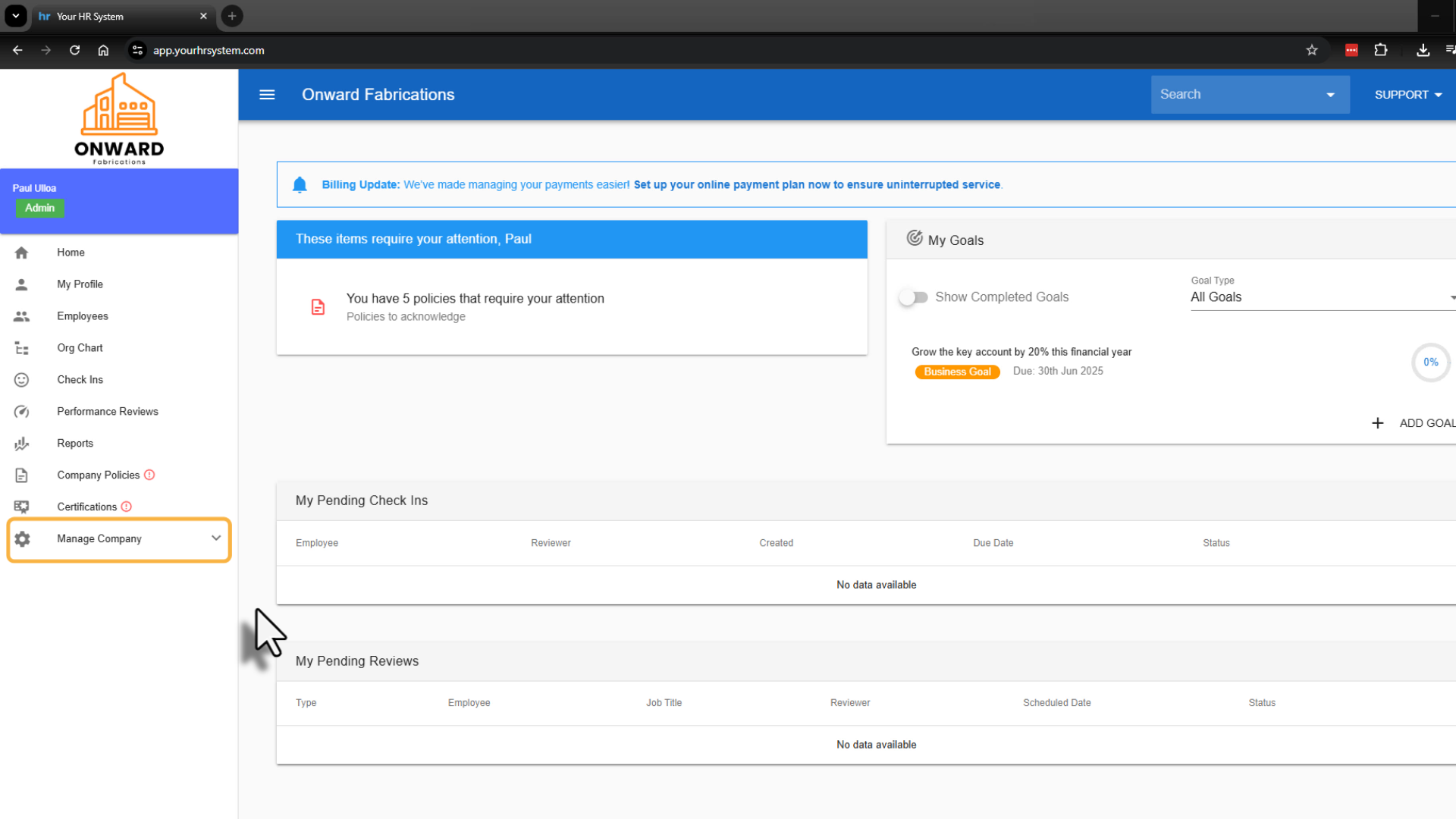
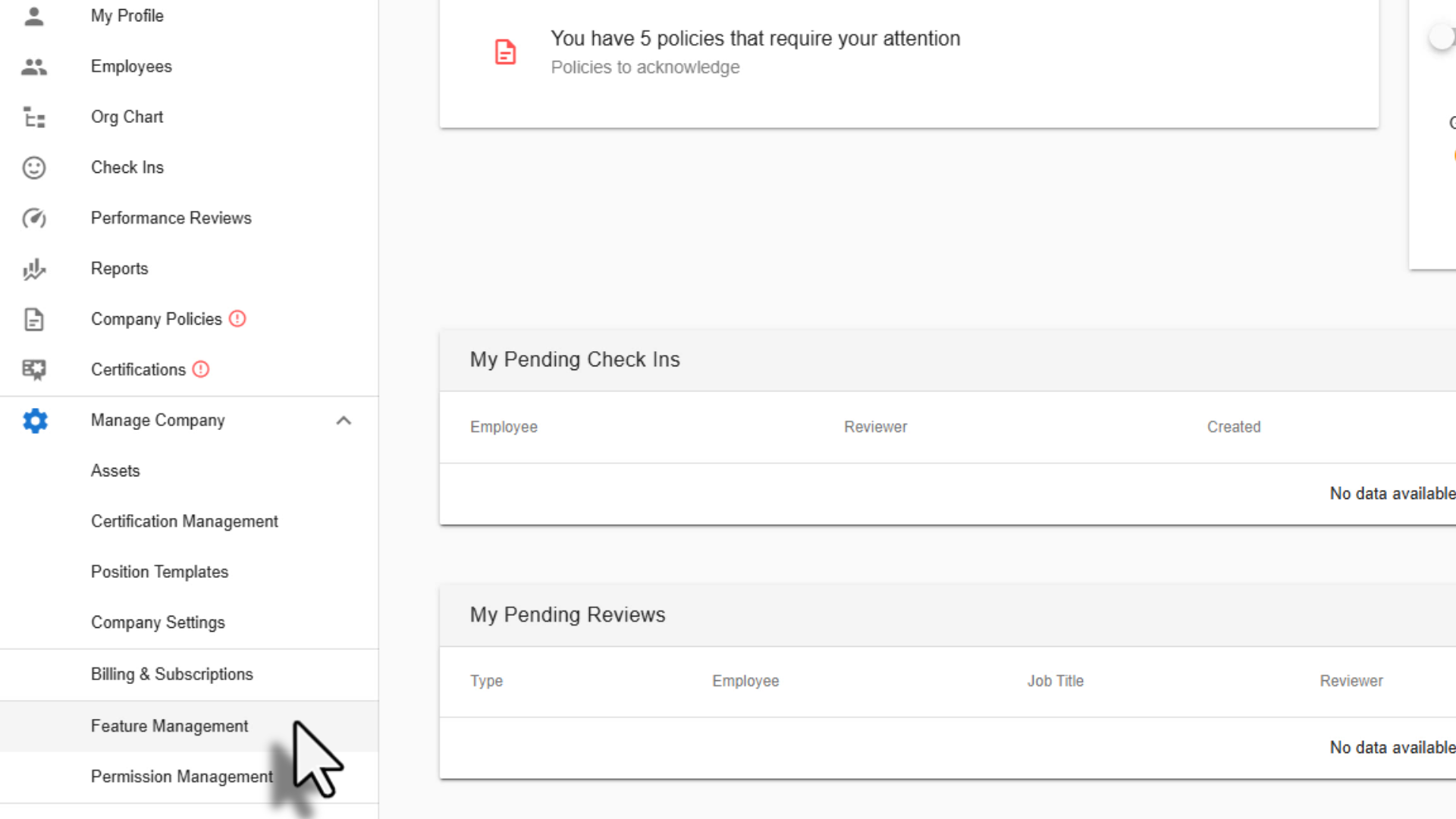
From the left-hand menu, select Manage Company, then click Feature Management.
2. Enable Compliance Reminders
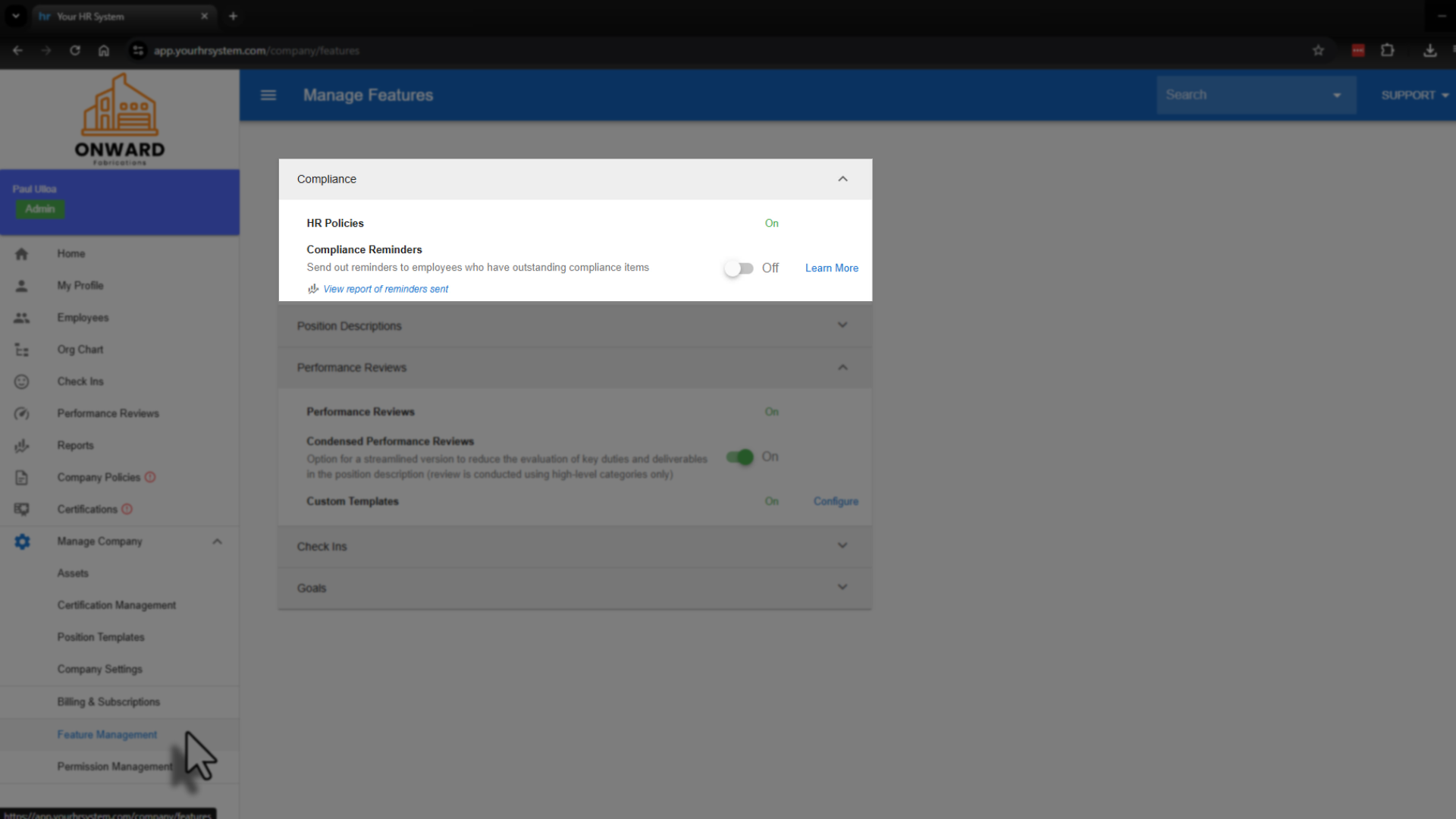
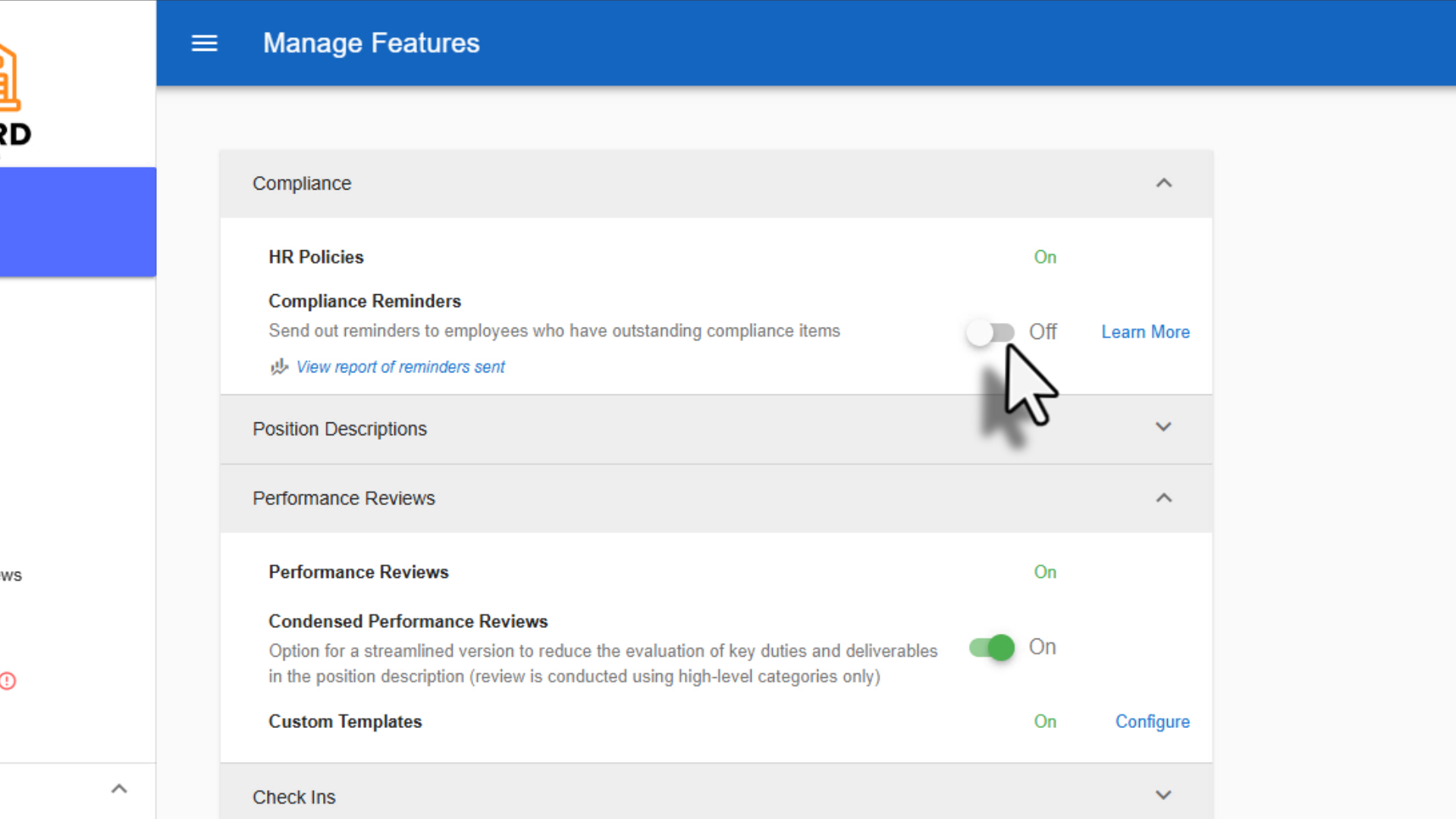
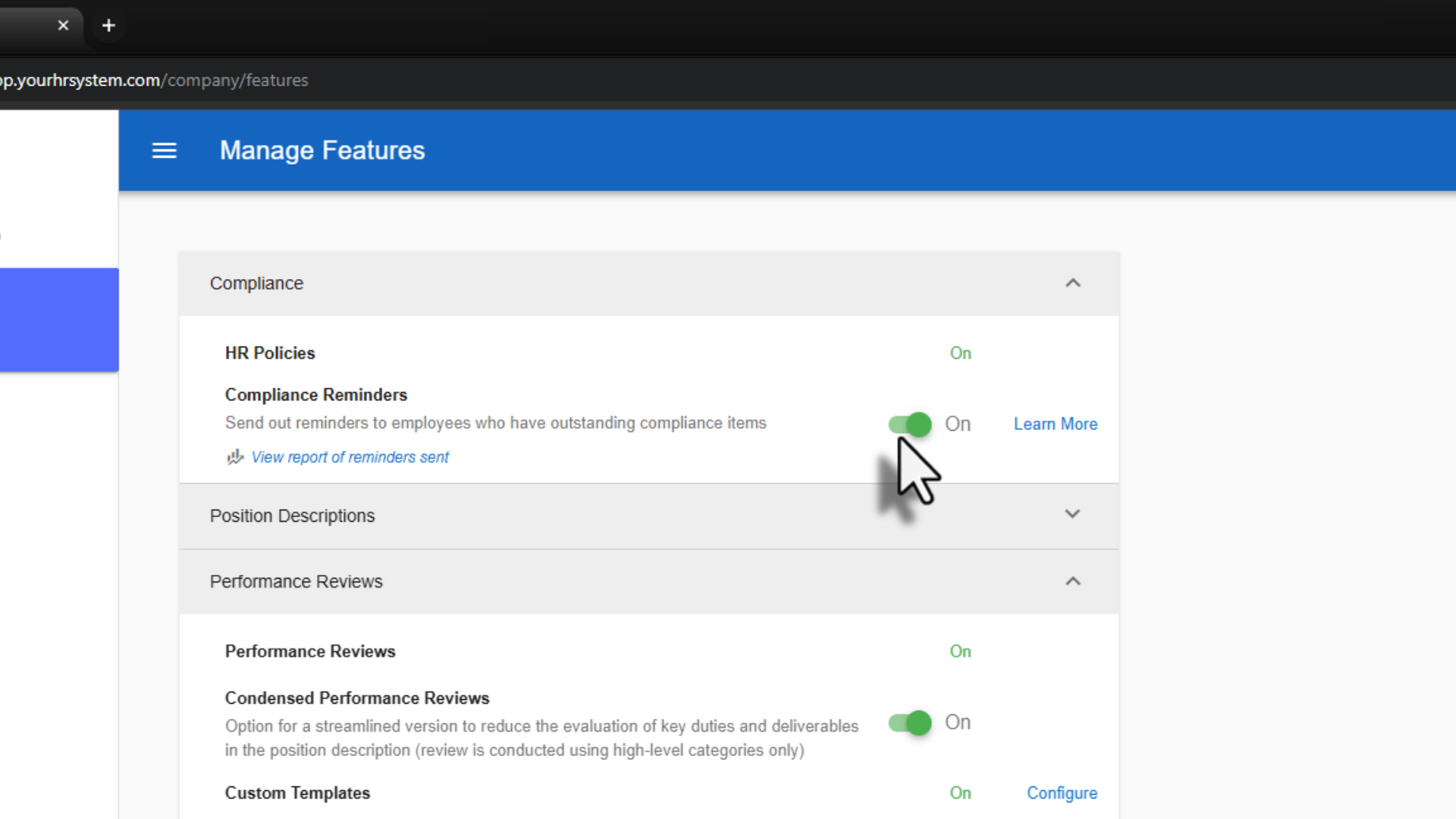
Within the Feature Management page, locate Compliance Reminders. Toggle Compliance Reminders on to enable the feature.
3. Review important information and confirm
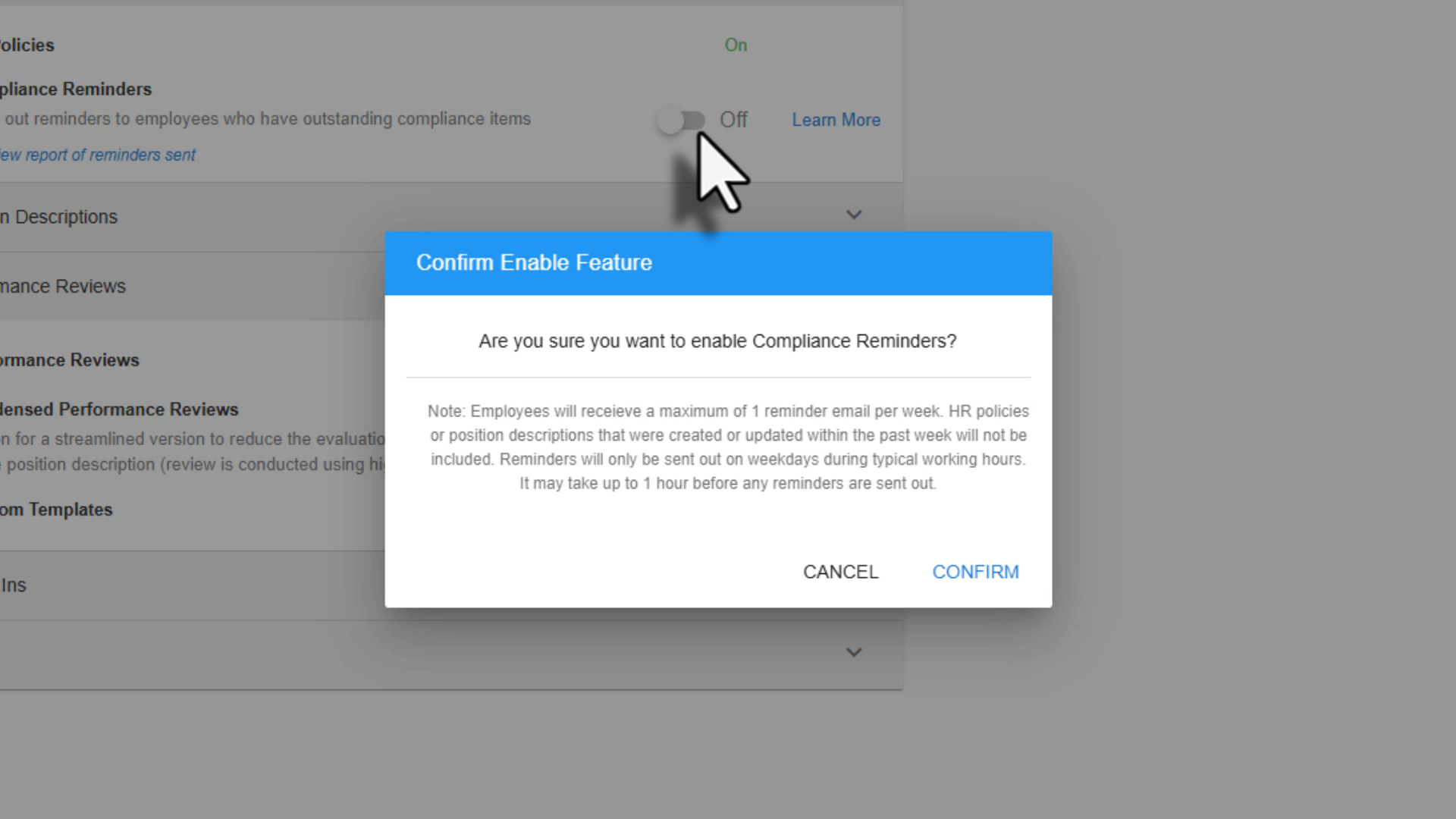
When you enable Compliance Reminders, a confirmation message will appear outlining how reminders work. This includes how often reminders are sent and that HR policies created or updated within the last week will not be included in reminders straight away.
Once you’ve reviewed the information, select Confirm to complete the setup.
Your automated Compliance Reminders are now active.
Turning Compliance Reminders off
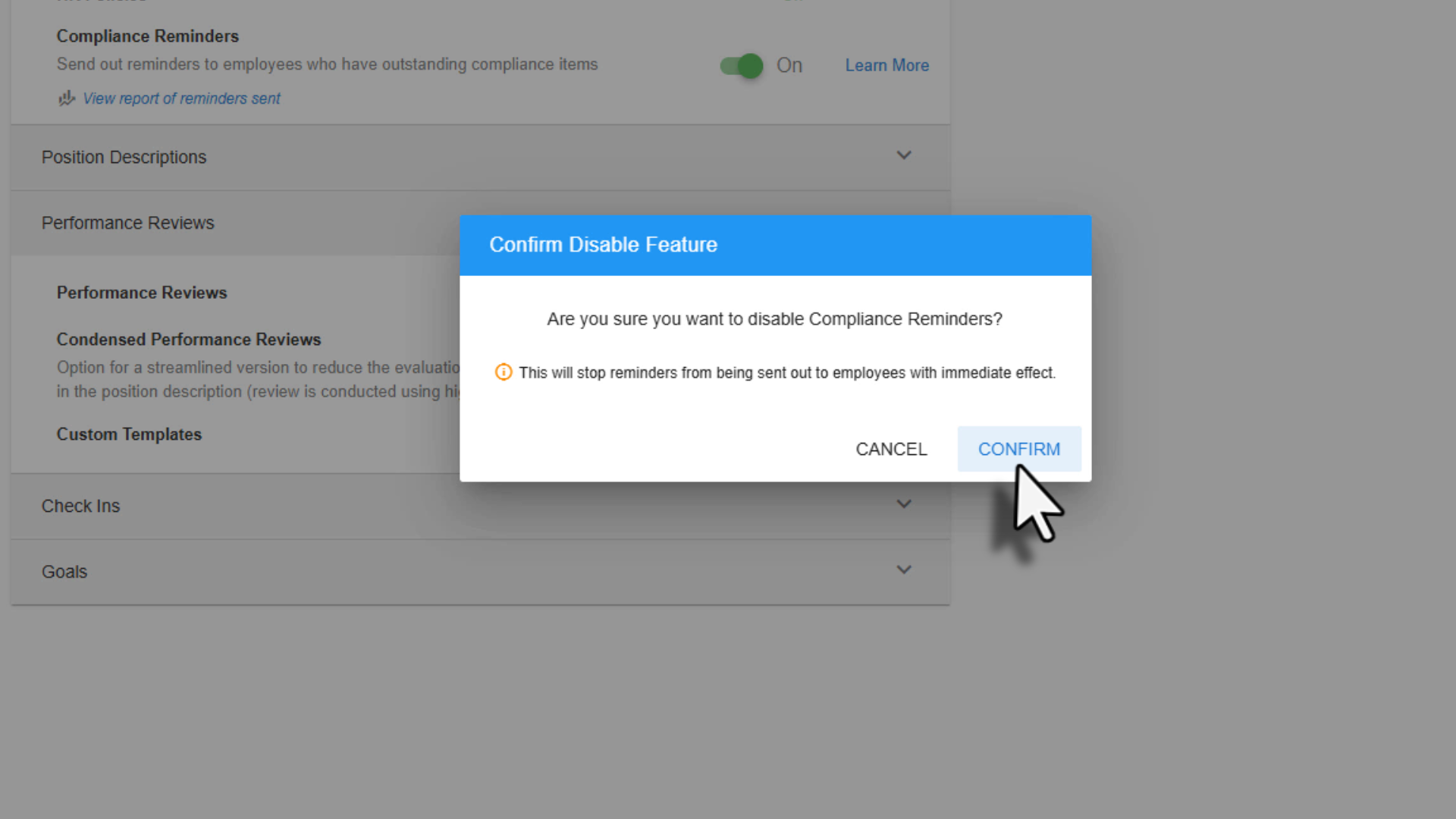
If you ever need to disable Compliance Reminders, go to Manage Company and Feature Management. From there, toggle Compliance Reminders off and select Confirm to apply the change.
Was this article helpful?
That’s Great!
Thank you for your feedback
Sorry! We couldn't be helpful
Thank you for your feedback
Feedback sent
We appreciate your effort and will try to fix the article